Nav2 Configuration for Autonomous Mobile Robots
Understanding dependency chains and behavior trees prevents silent configuration failures.
Nav2 is the official navigation stack for ROS 2, built as a modular, extensible replacement for the ROS 1 move_base. That modularity is the entire point of the design, and it's also what makes naive parameter tuning unreliable: changing one value in isolation, without understanding what feeds into it and what it feeds into, produces results that look arbitrary until you trace the dependency chain back to its source.
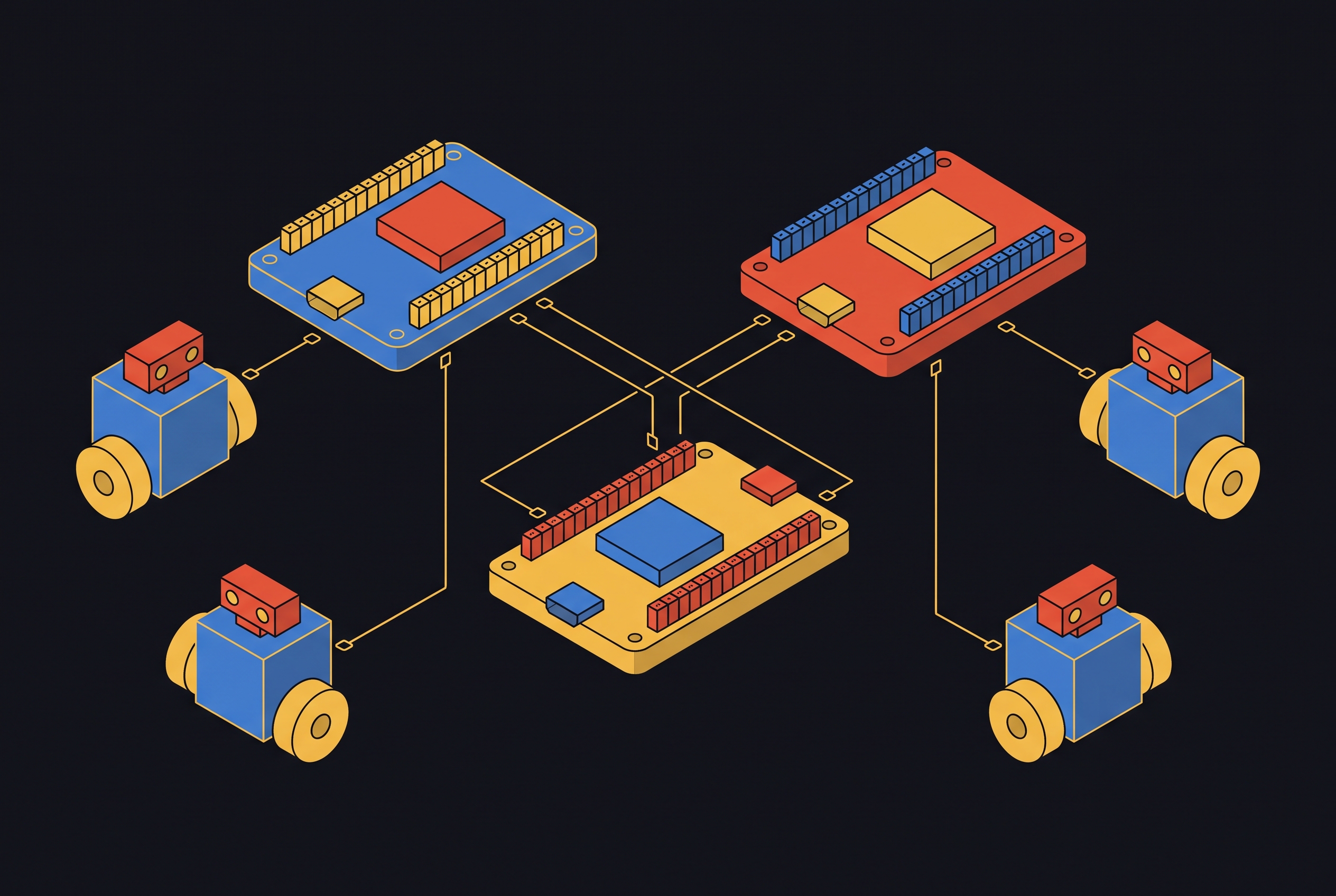
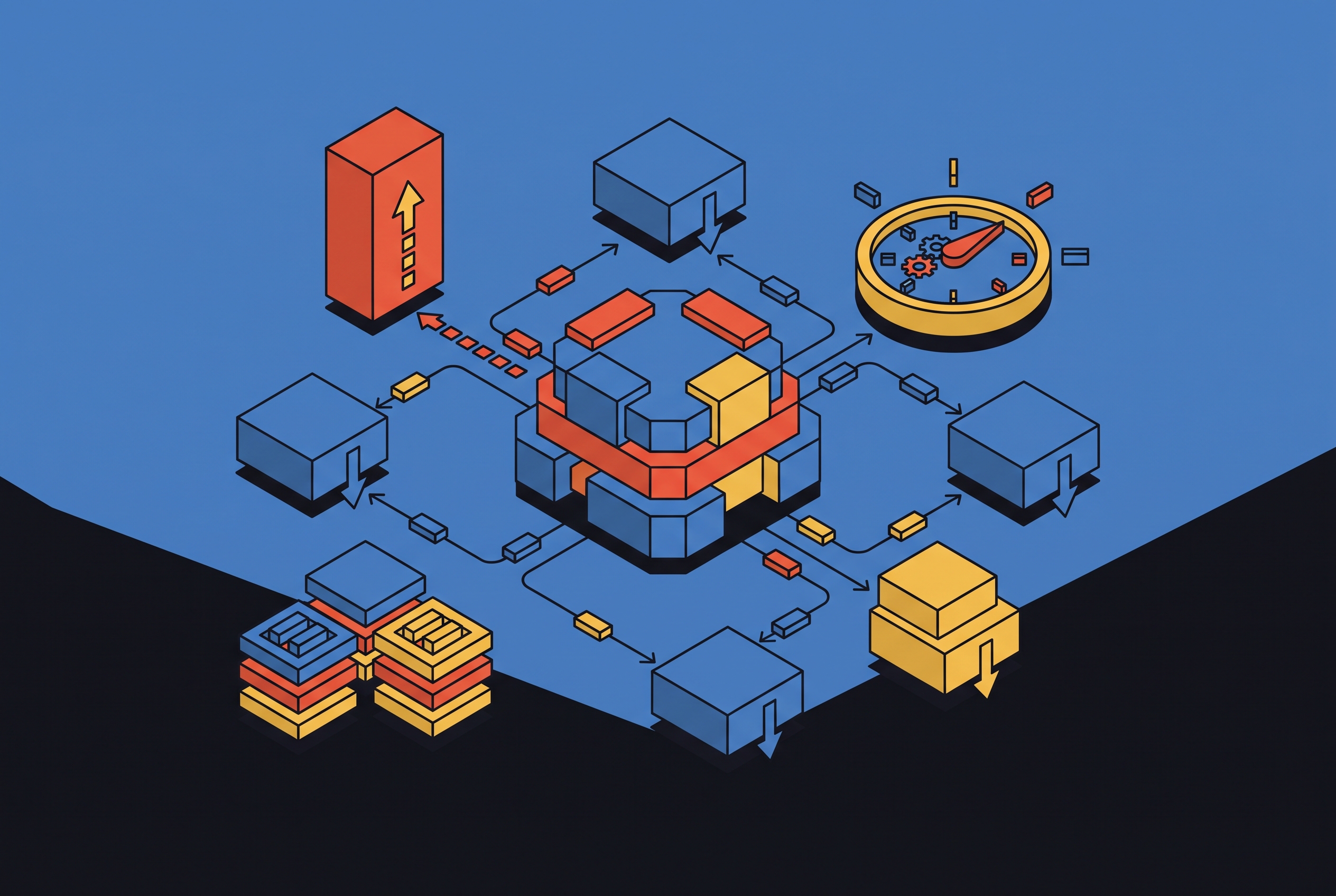
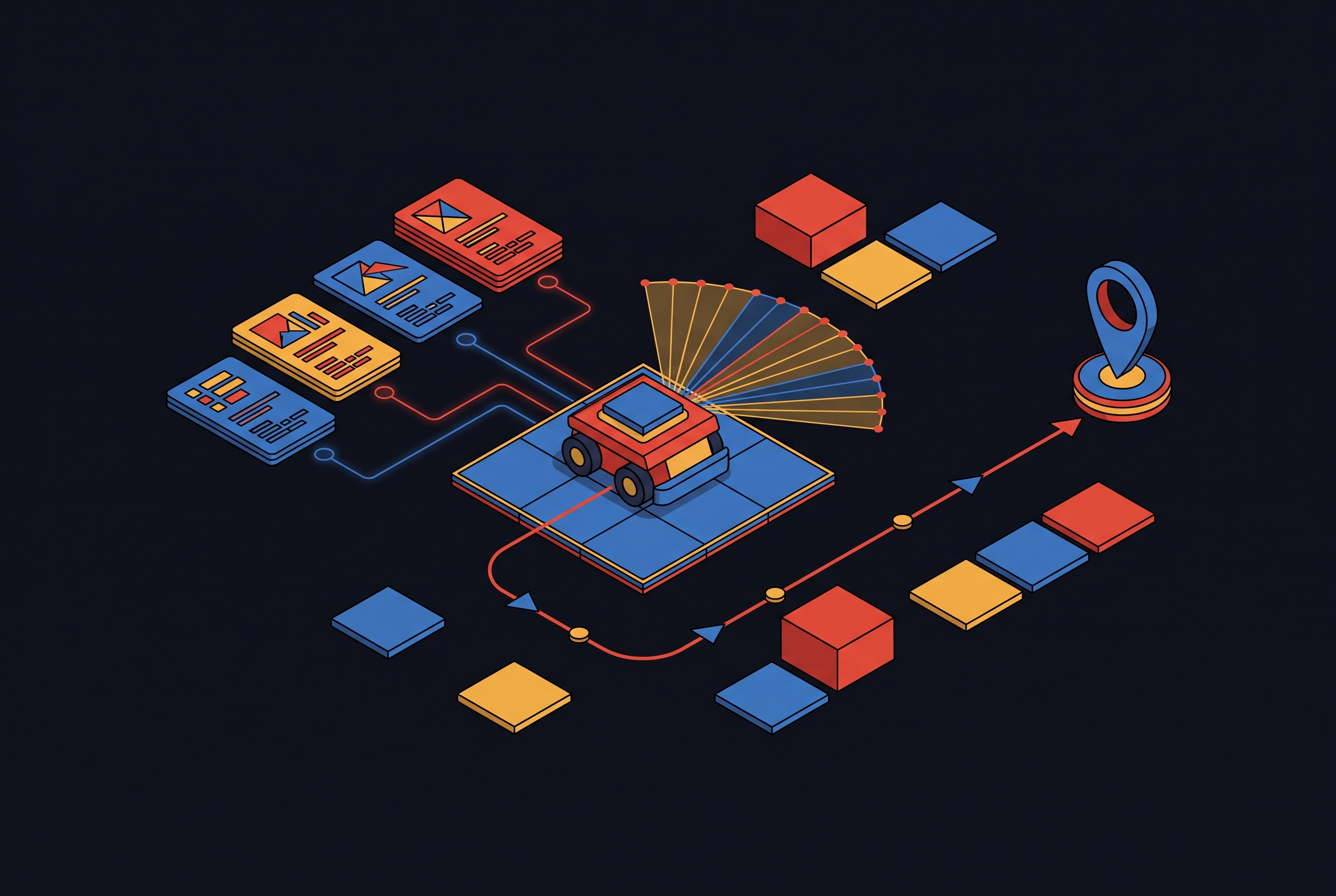
The practical system is a pipeline of cooperating lifecycle nodes. A map server holds the static environment. A localization node, typically AMCL, estimates where the robot sits within that map. Global and local costmaps represent traversable space at two different scales. A planner server computes routes, a controller server executes them, a behavior tree navigator decides what happens and in what order, and a set of recovery behaviors step in when something goes wrong. The output at the end of that chain is a /cmd_vel command sent to the robot's motors. Each of these nodes is launched from navigation_launch.py in the nav2_bringup package, and each loads its settings from nav2_params.yaml. That single YAML file governs the nodes navigation_launch.py brings up, but it does not cover every parameter or every component in the stack, so treating it as the complete picture of the system is a common and costly mistake.
The lifecycle manager brings these nodes up in dependency order, and that sequencing matters before any parameter gets touched: a misconfigured node upstream can quietly prevent a downstream node from ever activating, which produces failures that look like tuning problems but are actually startup problems. The architectural break from ROS 1 compounds this. Nav2 replaced the finite state machine that governed move_base with behavior trees, so navigation logic can be composable and reactive, not a fixed sequence of states. Recovery is no longer a single fallback action triggered when things go wrong: it's a programmable subtree, and the behavior tree layer is where the rest of this architecture gets tied together.
How the Behavior Tree layer orchestrates planners, controllers, and recoveries
A path is computed because a tree node fired an action call at a specific point in the tree's evaluation, not simply because a goal was sent.
The behavior_server and the bt_navigator are easy to conflate, but they do different jobs. The behavior server hosts action servers for things like spinning in place, backing up, and waiting, and the navigator's tree nodes call these as clients when the tree's logic calls for them. Confusing the two leads to recovery logic placed in the wrong layer entirely, which produces behavior that looks like a misconfigured recovery when the actual fault is a misunderstanding of which component owns which action.
A simple recovery subtree illustrates the pattern: the robot waits a few seconds in case a transient obstacle clears, then backs up to create clearance, then asks the planner server for a new path. Each of those three steps is a distinct action node in the tree, and the tree's job is to sequence them, check their outcomes, and decide what to try next if one fails. That structure is what makes Nav2's recovery behavior programmable rather than fixed, and it's also why the tree deserves as much attention as any single parameter.
The navigator doesn't operate alone. Each of these servers extends the pipeline the behavior tree coordinates, and each needs to be wired into the tree correctly to do its job.
That wiring has a strict requirement: the plugin implementation names declared in the parameter file, such as FollowPath, must match the action node names referenced in the tree XML. A mismatch doesn't throw an obvious error. It silently prevents the server from being used at all, leaving a robot that appears configured correctly on paper but behaves as though half its pipeline doesn't exist. Recovery behaviors most often demand custom work for a given deployment. The default configurations shipped in nav2_bringup work as sensible baselines for planning and path following, but if a robot moves from a demo environment into a real warehouse, hospital, or office floor, the recovery subtrees almost always need adjustment.
The costmap system: global and local layers
The costmap is the single most consequential configuration target in the entire Nav2 stack. A misconfigured costmap causes more failures than a poorly tuned controller, because the system checks every planning decision and every avoidance maneuver against it. Get the costmap wrong, and no amount of controller tuning downstream will fix the behavior that results.
A costmap is a 2D grid, and each cell in that grid encodes a traversal cost. A value of 0 means free space. The gradient between free and lethal is what gives the robot room to maneuver near obstacles, so it doesn't treat every obstacle boundary as a wall.
Nav2 maintains two costmaps that serve different purposes. The global costmap is built from the static SLAM map and feeds the planner server, which uses it for long-horizon route computation. The local costmap is a rolling window centered on the robot, updated live from sensor data, and it feeds the controller server for real-time obstacle avoidance. It changes at sensor rate, which can be many times per second depending on the hardware.
Both costmaps are built from the same kind of plugin layers, stacked in a defined order. The static layer reads the /map topic, and it lays down the known environment. You can add an optional semantic layer to label regions by meaning rather than occupancy alone, which helps where certain zones carry significance beyond simple traversability.
The global and local costmaps share this same layer structure, so their parameter blocks in nav2_params.yaml look nearly identical, differing mainly in the values you assign. Map resolution needs to be fine enough for indoor mobile-base navigation, but if you push it too fine, computation cost rises without any gain in planning quality.
Tuning the inflation layer: the costmap parameters that most directly affect real robot behavior
The inflation layer has two parameters, inflation_radius and cost_scaling_factor, and together they set how much personal space the robot keeps around obstacles. Getting these two values wrong produces the single most common class of navigation failure seen in Nav2 deployments, more often than any issue traceable to the controller or planner themselves.
Setting inflation_radius too high makes the robot treat doorways and narrow corridors as impassable, refusing paths that physically exist and that a human operator can see are perfectly navigable. A higher value creates a sharper gradient that pushes the robot further from obstacles, but it can also block passage through genuinely tight spaces even when you size inflation_radius correctly. The two parameters interact, and tuning one without the other produces inconsistent results.
Both parameters depend on an accurate robot_footprint, or robot_radius if the base is circular. This value is used directly in collision checking and interacts with the inflation radius to determine what clearances the planner will accept as passable. An inaccurate footprint undermines the inflation tuning no matter how carefully those values are chosen.
Update-rate parameters round out the tuning picture. costmap_update_frequency controls how often the costmap refreshes: a higher value makes the robot more responsive to dynamic obstacles, at the cost of higher CPU load. planner_frequency controls how often a new global path gets computed, and it typically runs around 1 Hz, since the global costmap it depends on changes slowly compared to the local costmap.
None of this tuning compensates for bad sensor input. The parameters shape how the robot responds to what the sensors report. They cannot fix sensors that report the wrong thing in the first place, and that distinction separates a tuning problem from a hardware integration problem, worth establishing before you move to the controller layer, where algorithm choice and mechanism split apart in a similar way.
Choosing a local controller: what DWB, MPPI, and RPP do differently
Choosing a local controller is an algorithmic commitment, not a cosmetic setting. DWB, Model Predictive Path Integral control (MPPI), and Regulated Pure Pursuit (RPP) behave in fundamentally different ways under dynamic conditions, so the right choice depends on hardware constraints as much as on raw performance targets.
DWB, the Dynamic Window Approach, samples a set of candidate trajectories, and it scores each one against a configurable set of critic functions. It is currently the default controller in Nav2, a position it holds because of its lineage from the Base Local Planner and DWA in ROS 1. Its architecture is a plugin-based refactor of those earlier controllers, built for more flexibility than its predecessors offered.
MPPI takes an optimization-based approach instead. It samples many trajectory rollouts in parallel and weights them by cost to derive a control signal. Where DWB scores a discrete candidate set, MPPI handles dynamic agents by adjusting trajectories on the fly, rather than splitting planning and execution into separate stages the way older approaches do.
Regulated Pure Pursuit is a geometric path tracker. It produces smooth, predictable motion on structured routes, the kind of fixed-path following you see in warehouse aisles or defined corridors, but it works less well once the environment becomes highly dynamic.
Switching between these three is a configuration change, not a code change, since the controller is declared in the parameter file under controller_plugins. That declared implementation name has to match the corresponding action node in the behavior tree, so the BT and the parameter file need to stay consistent whenever the controller changes.
Experiments run on a Clearpath Jackal at IEEE SIMPAR 2025 compared all three controllers directly in environments that held both static and dynamic obstacles. MPPI offered a strong balance across safety and efficiency metrics. In a separate deployment on a Robotino AMR, researchers chose MPPI over DWB because the environment held frequent dynamic obstacles, in that case other robots sharing the same floor, and MPPI's optimization-based approach handled those moving agents more flexibly than DWB's scoring-and-sampling method.
MPPI's capability comes at a cost, and that cost is computational, which is the exact tension the next section has to resolve.
MPPI's Compute Cost Versus DWB and RPP
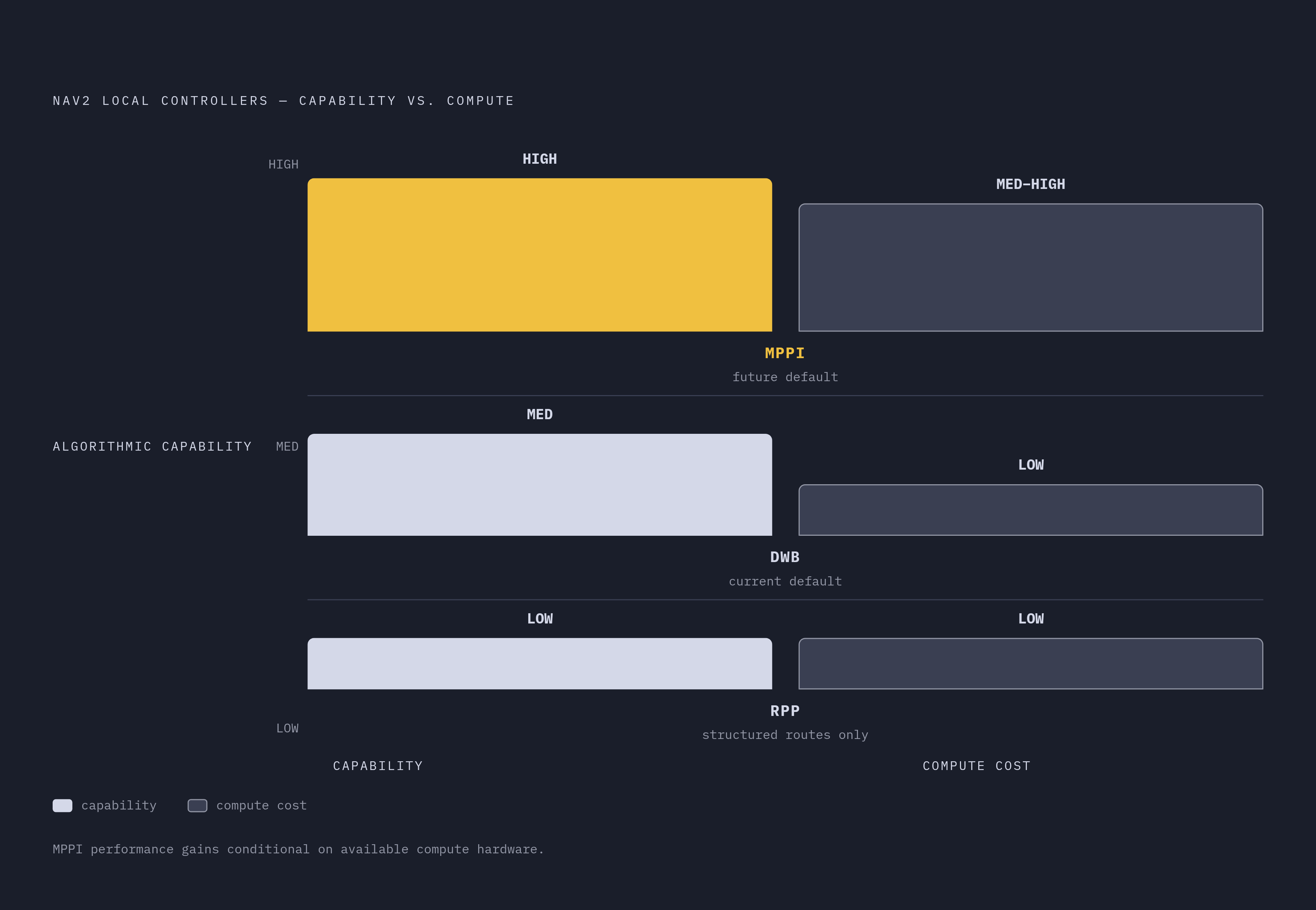
MPPI's higher compute demand deserves to be weighed seriously against the deployment platform. Compute cost for MPPI runs medium to high, compared with DWB's low demand and RPP's comparably light footprint. On a platform without GPU acceleration, that difference affects how reliably the controller can keep up with the control loop's required rate.
For resource-constrained embedded deployments, edge hardware without a GPU being the clearest case, DWB or RPP can be the pragmatic choice even when MPPI performs better algorithmically on paper. A controller that produces marginally safer trajectories but can't maintain its control loop on the available hardware is not actually the safer choice in practice. They are making a hardware-aware trade-off, and that trade-off is defensible as long as it is made deliberately.
The broader trajectory of the Nav2 project still points toward MPPI. Nav2's maintainers have stated a medium-term intent to replace DWB as the default controller with MPPI once it reaches appropriate maturity. Teams that remain on DWB should be able to explain why, rather than treating DWB as a safe default by inertia. That justification matters more now that the Intel Open Edge Platform 2026.0 release added distribution-specific Nav2 parameter files, so a single YAML no longer safely spans both Humble and Jazzy environments, and this shift has implications that extend well past controller choice alone.
Configuration splits from ROS 2 distribution divergence between Humble and Jazzy
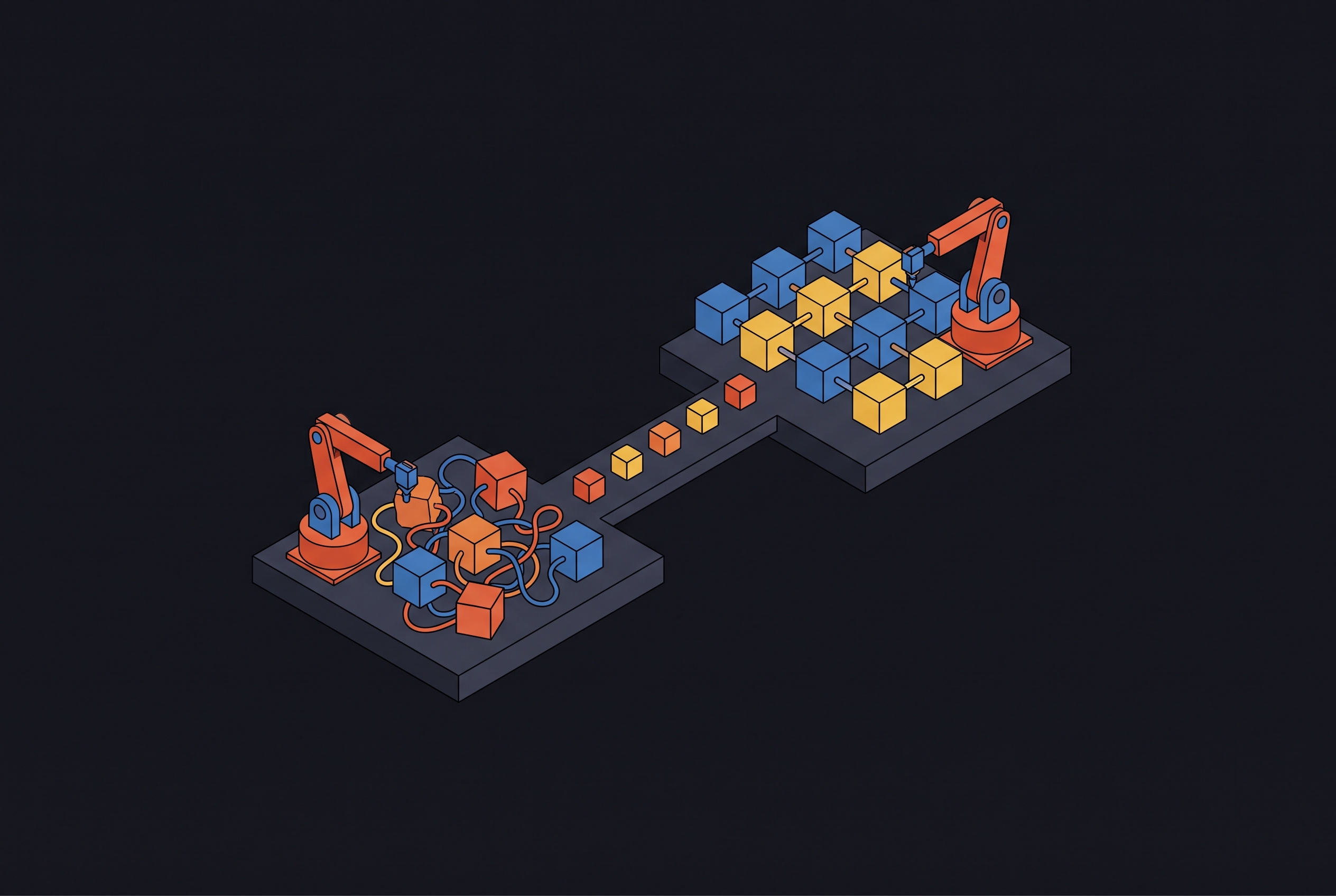
A Nav2 configuration that worked on Humble cannot be assumed to carry over to Jazzy unchanged. The two distributions differ in default controllers, in environment variable handling, and in plugin availability, and any one of those differences can break a configuration that looked complete on the distro it was written for.
The Intel Open Edge Platform 2026.0 release notes establish several of these divergences concretely. Nav2 added distribution-specific parameter files because you need files tailored to each distribution to get optimized performance across ROS versions, not one file stretched across both. Launch scripts need distro-aware package path resolution and configuration management built in, instead of hardcoded assumptions about where files live.
The linorobot2 project demonstrates a workable version of this discipline. Its launch files and Nav2 configuration work for both physical robots and simulated ones within a given distro, because the configuration is centralized and applied consistently. That same discipline, centralizing configuration and applying it consistently, carries over cleanly when you manage multiple distro versions, even though linorobot2 addresses the sim-versus-hardware split, not the Humble-versus-Jazzy split directly.
Sim-to-real transfer and the linorobot2 approach
The Nav2 configuration itself does not change between simulation and hardware. What changes is the accuracy of everything the configuration assumes: the robot description, the sensor integration, and the localization inputs feeding the stack. A costmap tuned against a perfect simulated sensor will behave identically on real hardware only if the real sensor delivers data of comparable quality and the robot's physical dimensions match what its description assumes.
This is exactly where the inflation tuning and footprint accuracy discussed earlier stop being abstract settings, because now you test them against reality. The parameters carry over. The conditions they were tuned against do not carry over automatically, and that gap is where most sim-to-real navigation failures actually originate.
The linorobot2 project's approach, using the same launch files and Nav2 configuration for both physical and simulated robots within a given distro, works because the configuration is centralized and consistently applied rather than maintained as two diverging copies. For teams building toward real deployment, that traceability is what makes sim-to-real transfer a tractable engineering problem, not a recurring source of unexplained failures.
Sources
- Release Notes: Autonomous Mobile Robot — Open Edge Platform Documentation
Provided the concrete basis for the claim that Intel Open Edge Platform 2026.0 added distribution-specific Nav2 parameter files and exposed Humble-versus-Jazzy configuration divergences.
- A ROS~2-based Navigation and Simulation Stack for the Robotino
Provided the Robotino AMR deployment example where MPPI was chosen over DWB because of frequent dynamic obstacles from other robots sharing the floor.
- ROSNavBench: An Automated Benchmarking Framework for Systematic Planner–Controller Selection in Mobile Robotics
Provided the Clearpath Jackal experiments at IEEE SIMPAR 2025 comparing DWB, MPPI, and RPP in environments with static and dynamic obstacles.
- From the Desks of ROS Maintainers: A Survey of Modern & Capable Mobile Robotics Algorithms in the Robot Operating System 2
Provided context on Nav2's architecture, including the behavior tree replacement for move_base's finite state machine and the maintainers' intent to replace DWB with MPPI as the default controller.
- Behavior-Tree Navigator - Nav2 Docs
Provided the requirement that plugin implementation names in the parameter file must match action node names in the behavior tree XML.
- Costmap 2D — Nav2 1.0.0 documentation - ROS
Provided details on costmap plugin layers, parameter blocks, and the structure of global and local costmap configuration in nav2_params.yaml.
- Inflation Layer Parameters — Nav2 1.0.0 documentation
Provided the descriptions of inflation_radius and cost_scaling_factor and their interaction in determining obstacle clearance behavior.
- Setting Up Navigation Plugins — Nav2 1.0.0 documentation
Provided guidance on how controllers are declared under controller_plugins in the parameter file and how switching controllers is a configuration change rather than a code change.